Kapture · Tour
A tour of the Kapture interface
- $0.001 per lead recording
- $0.004 per form, $0.005 with recording on
- $15/mo unlimited e-sign
2,000 free tokens for new accounts. No credit card needed.
Kapture does three jobs: lead recording, forms and e-sign. These are the screens behind each one, taken from our own demo account.
Lead recording
Proof of what each visitor saw, typed and agreed to.
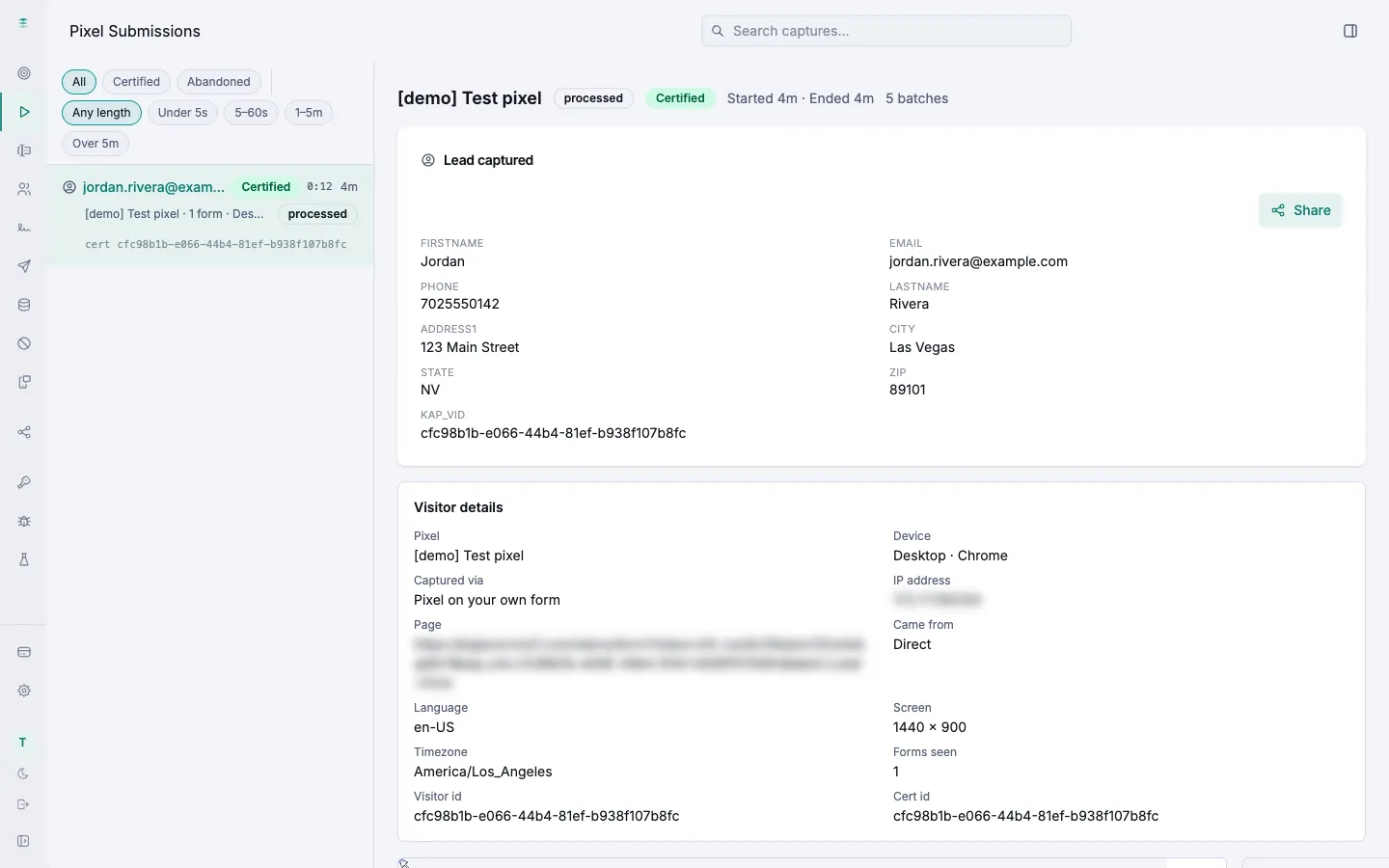
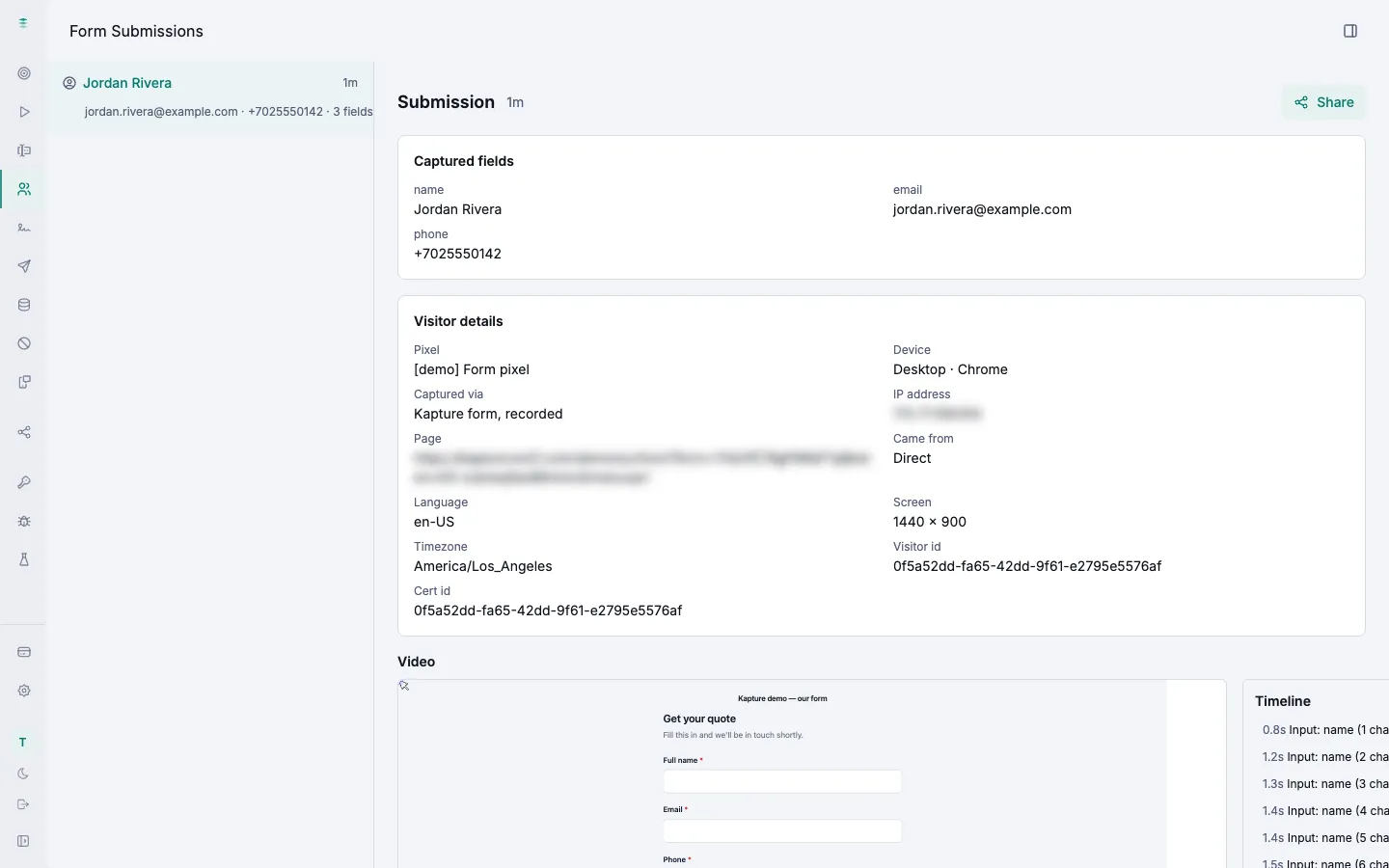
Lead captured
Every lead a form captures: what the visitor typed, their device, where they came from, and a certificate id you can share.
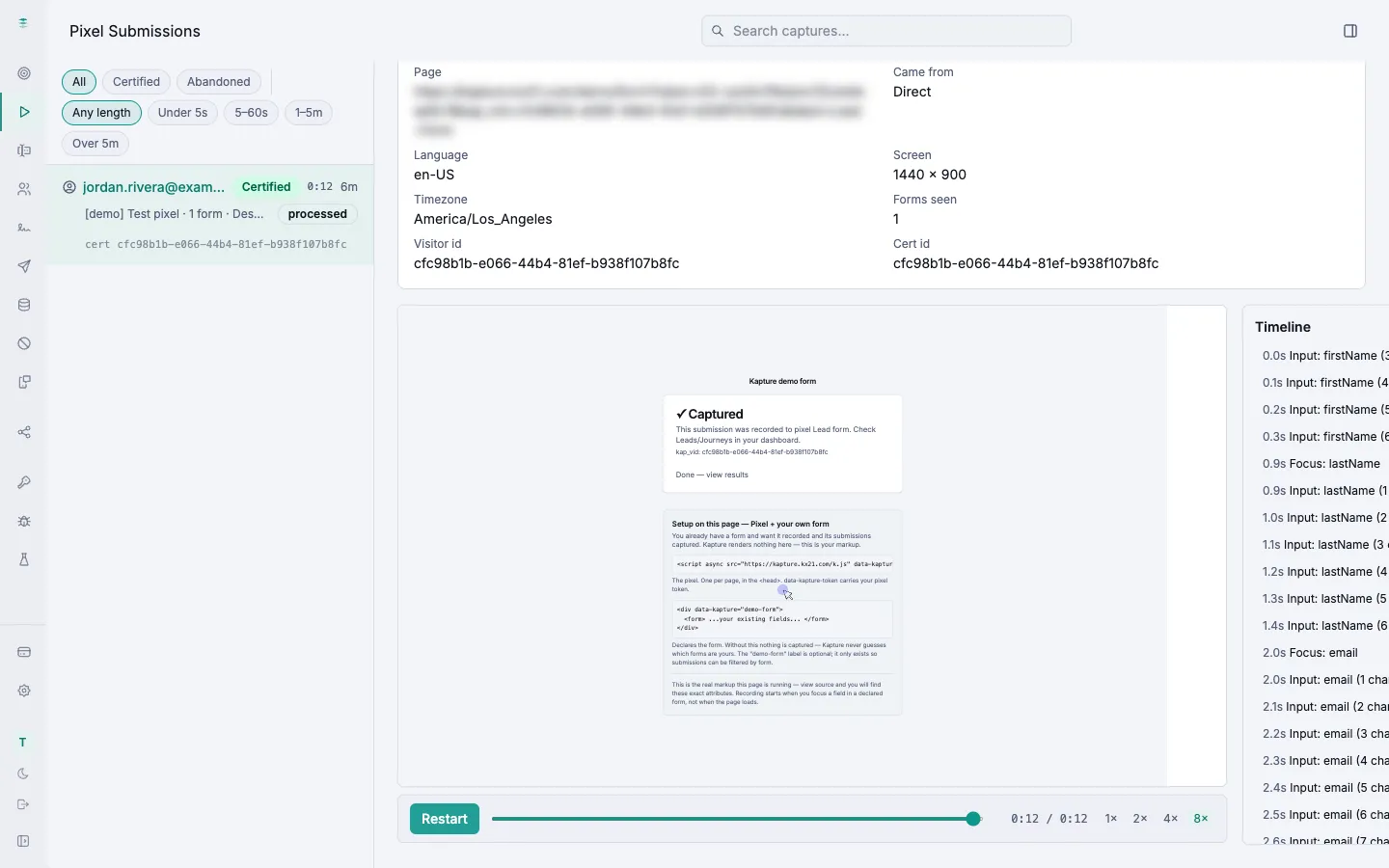
Replay
Watch the visit back like a video. The timeline lists every field the visitor touched, to the tenth of a second.
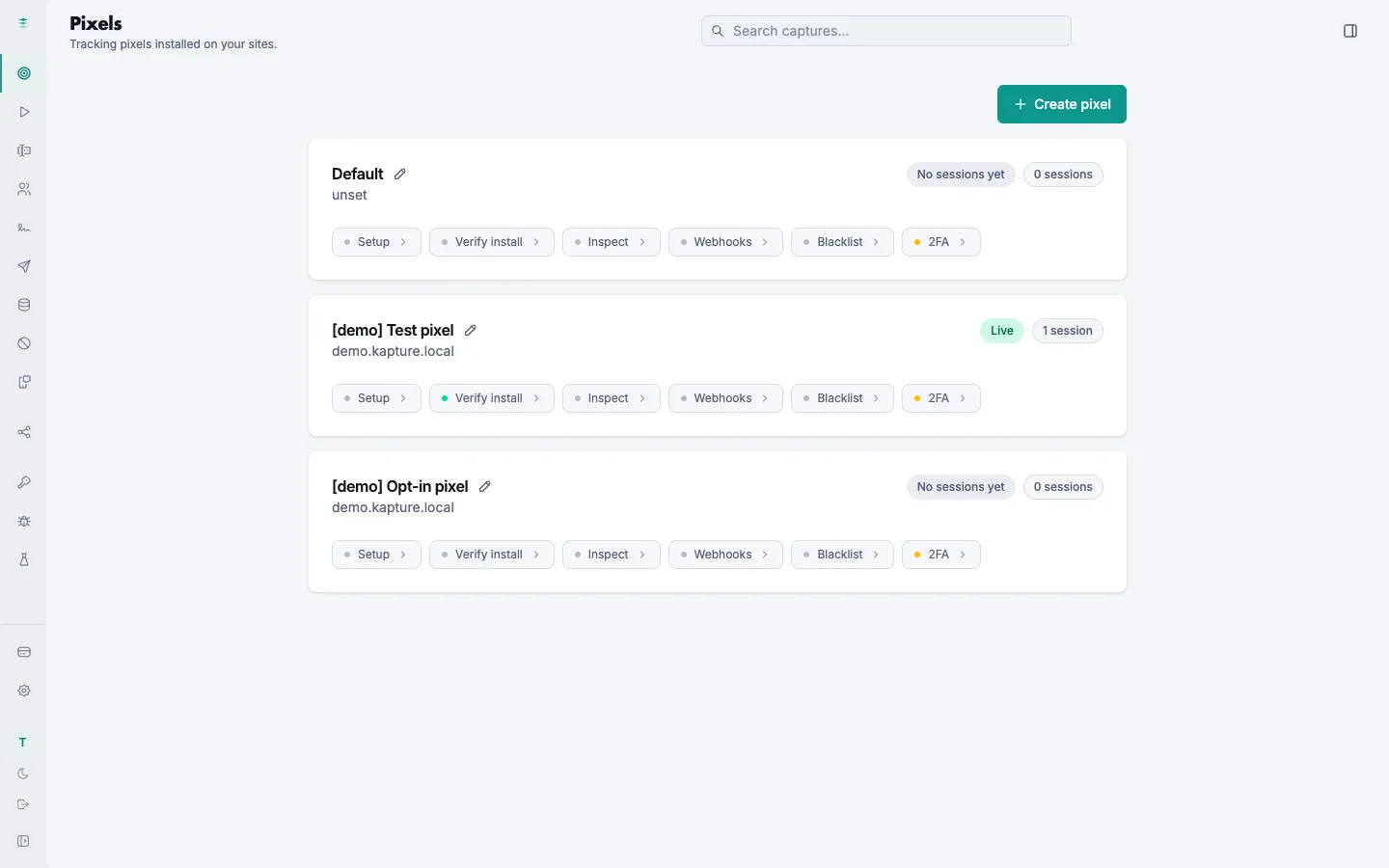
Pixels
One snippet per site. Each one has its own install check, webhooks, phone blacklist and text-message code check.
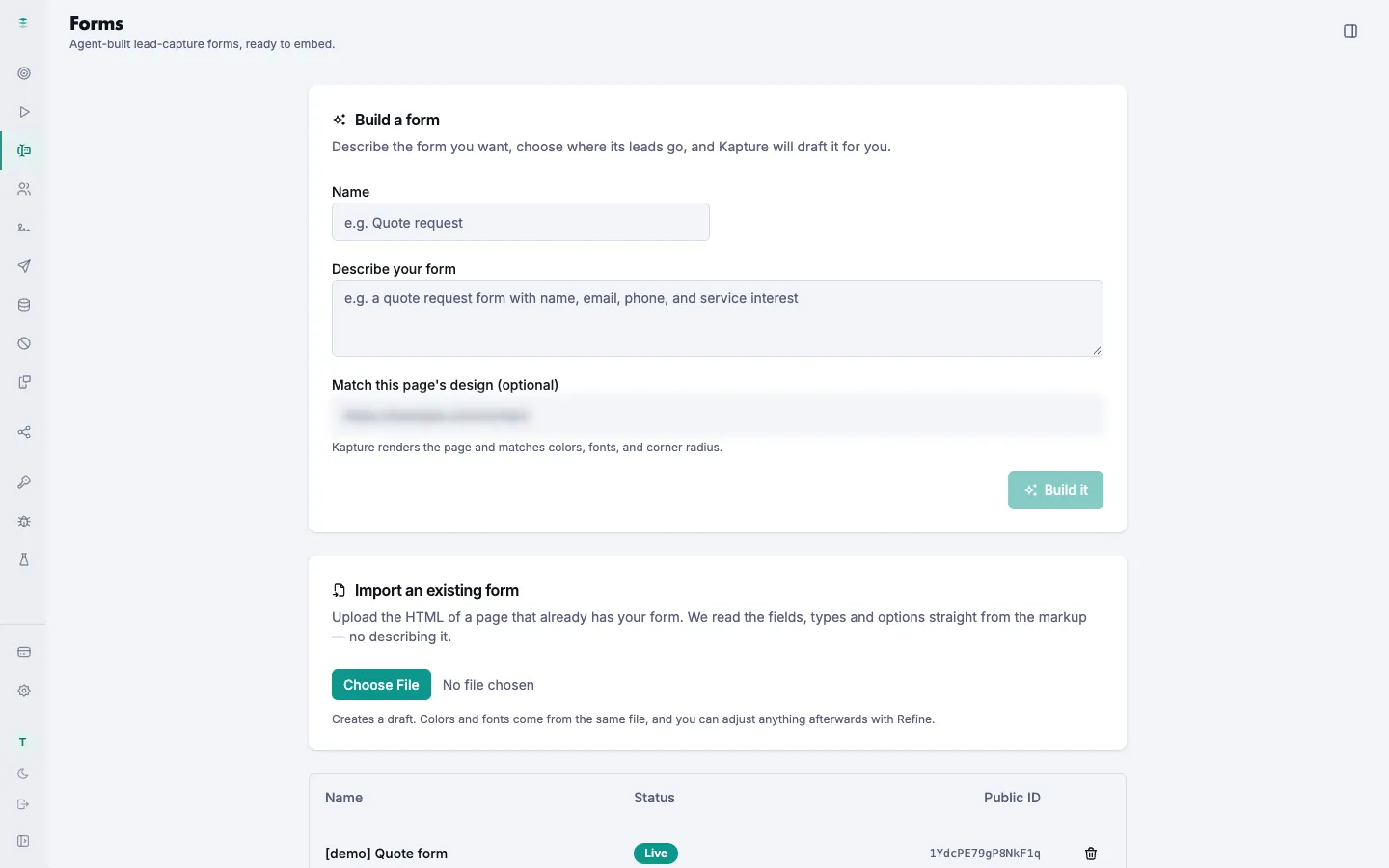
Forms
Forms Kapture builds for you, recorded from the first keystroke.
Build a form
Describe the form you want and Kapture drafts it. Or upload a page that already has your form and Kapture reads the fields from it.
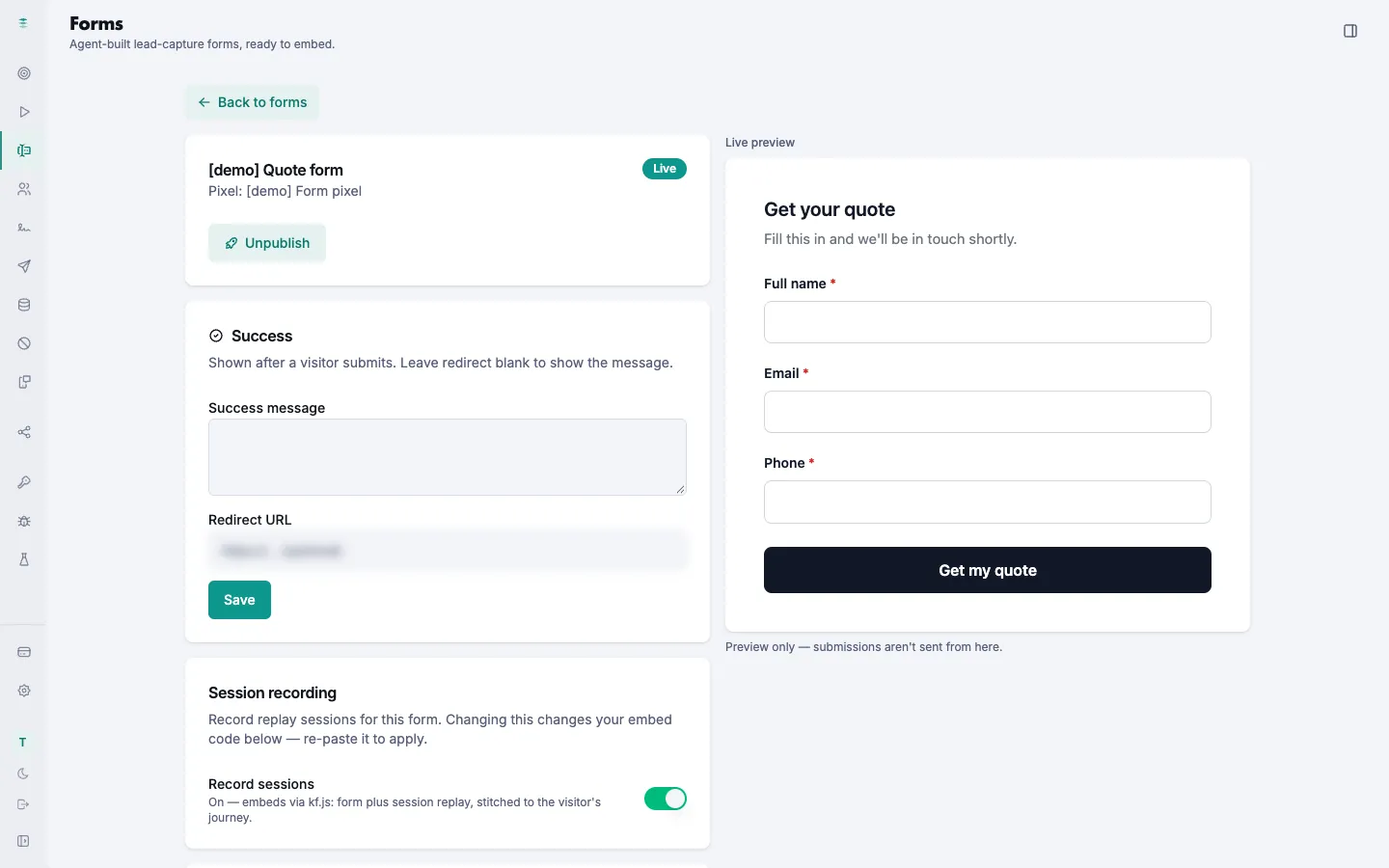
Form settings
The live form next to its preview, the message people see after they submit, and the switch that records each visit.
Form submissions
Each submission with the fields it captured and its video.
E-sign
Documents sent, signed and recorded.
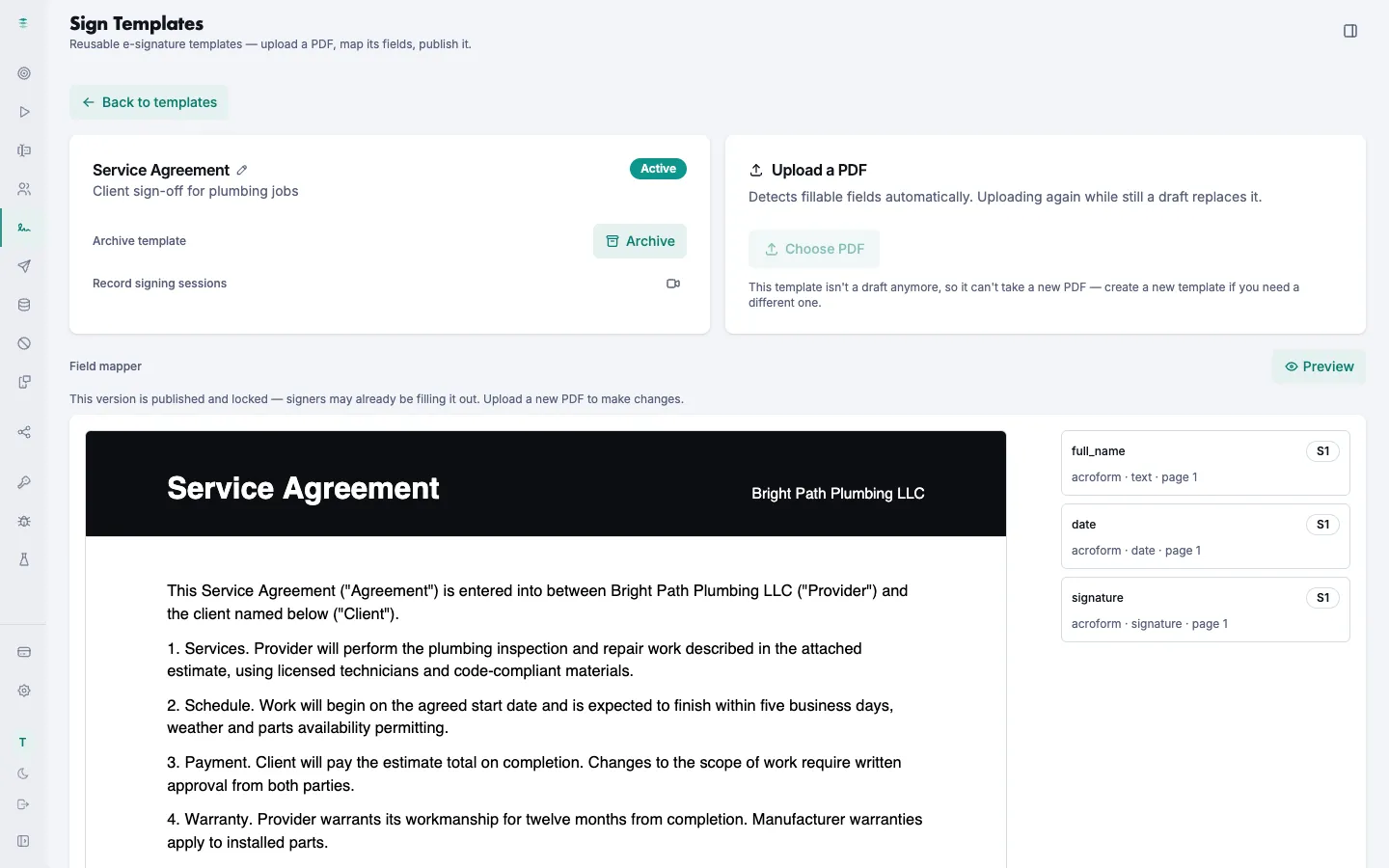
Sign templates
Upload a PDF. Kapture finds the fields to fill in and sign, and can record each signing session.
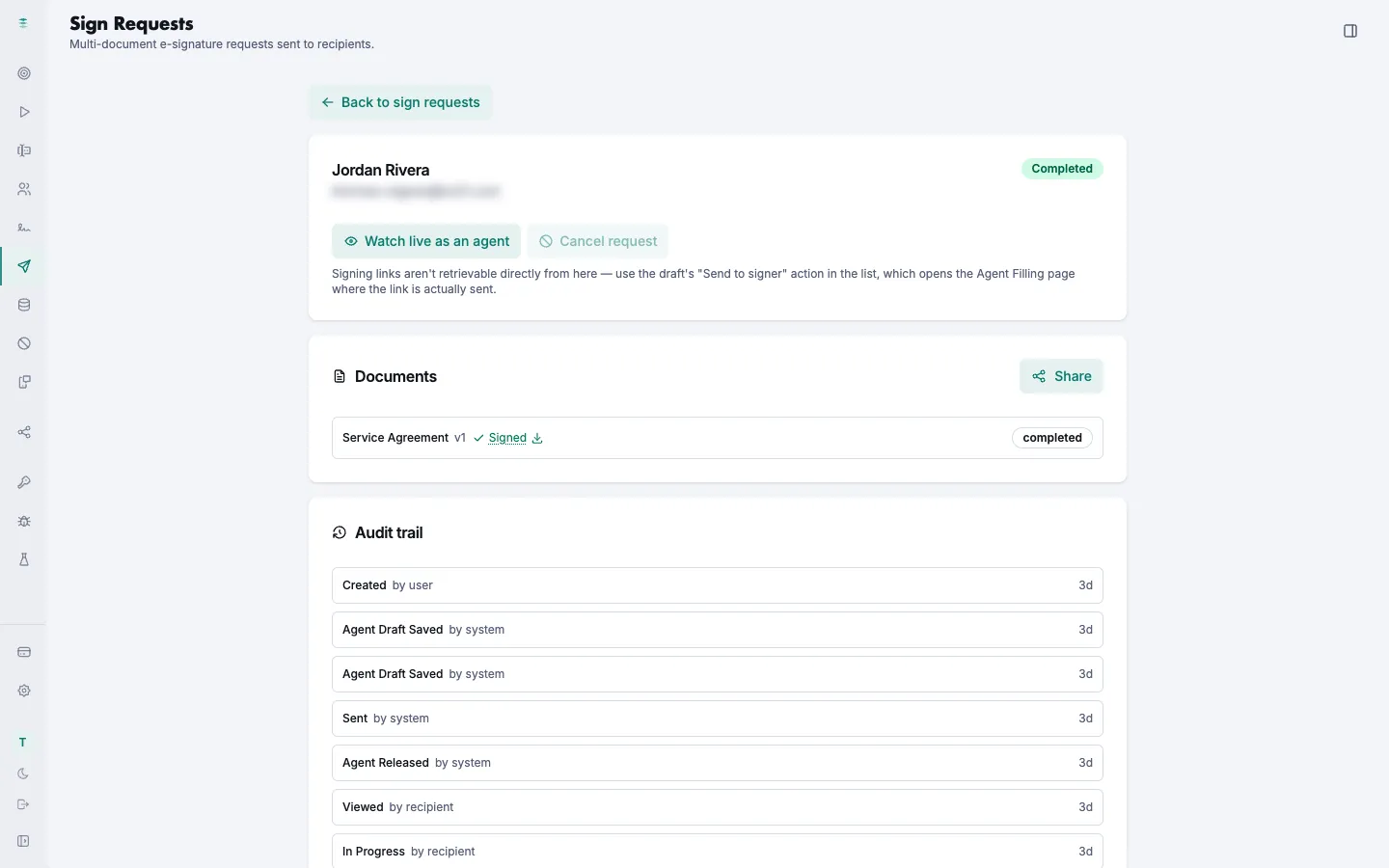
Sign requests
Send a document and follow it: sent, viewed, signed. Every step is listed in the audit trail.
Setup
Where your recordings and documents are kept.
Storage
Connect your own storage so recordings, leads and signed documents stay under your control.
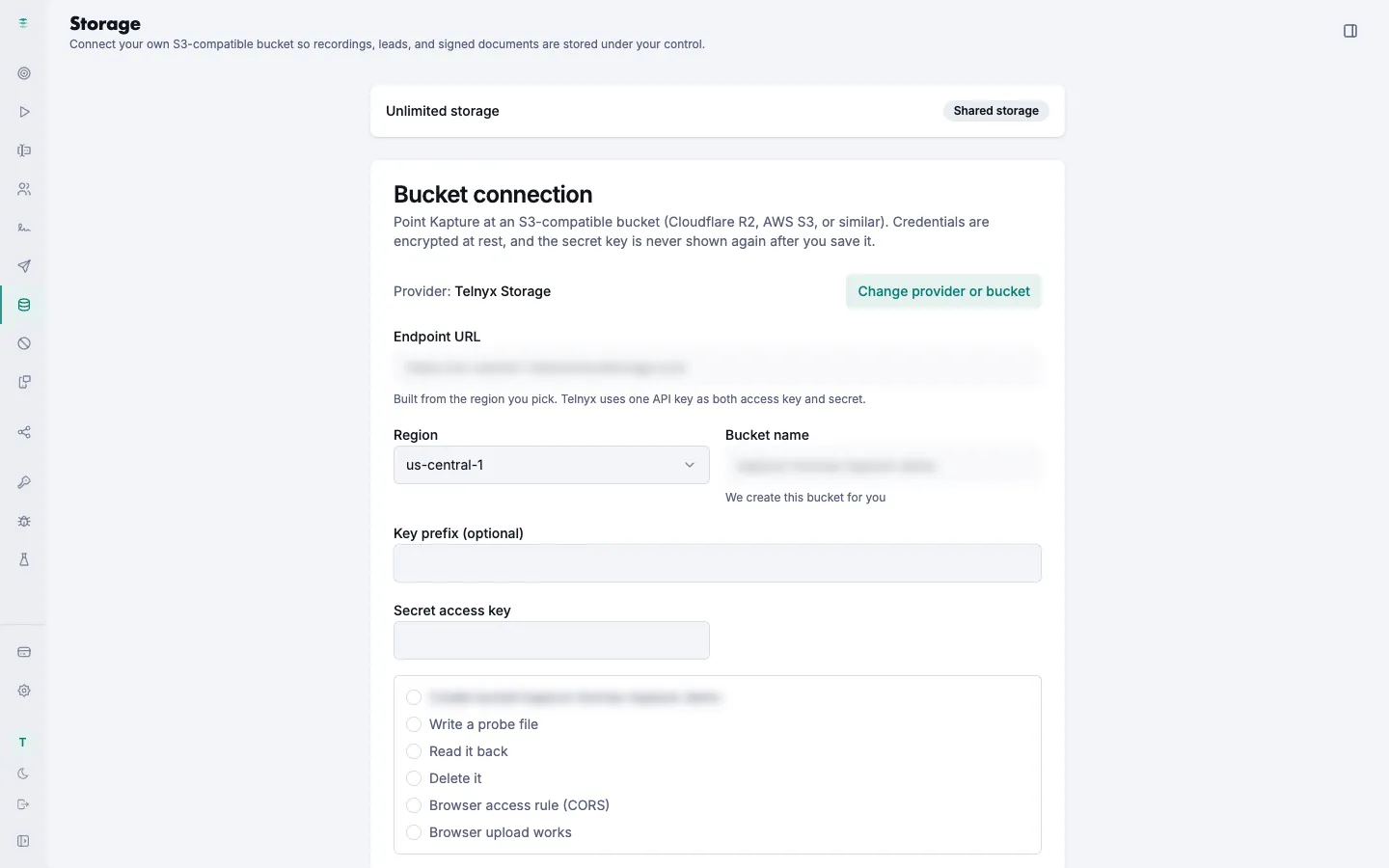
Screens captured October 12, 2026 from a KX21 demo account. Jordan Rivera is a made-up lead with a made-up email, phone number and address. Web addresses, the IP address and the storage name are blurred.