Kapture · Prove
Build forms. Sign documents. Record every lead.
Three jobs in one tool. Describe a form in plain English and it exists; send anything out for signature with no per-seat charge; and one pixel records what happened when someone hit submit — every field, the page they saw, the consent they gave — as a replay you can trust, kept in your own bucket.
Kapture, explained in 79 seconds.
The problem, the fix, and the numbers. Then bring us your bill.
What it costs
Every token is $0.001 — flat, first or millionth — with a $20 minimum purchase. New accounts start with 2,000 free tokens, and building forms is free.
| What | Your own bucket | KX21-hosted storage |
|---|---|---|
| Completed form — record + video | 5 tokens · $0.005 | 15 tokens |
| Lead recording you keep | 1 token · $0.001 | 1 token — abandoned visits are not kept |
| Signed document — pay as you go | 250 tokens · $0.25 | 500 tokens · $0.50 |
| Unlimited e-signatures | $15/mo | not offered |

From the case files · Case 01
Ten Seats
An e-signature vendor bills $300 a month for ten seats. 35 seconds.
$300$15 / MO

From the case files · Case 03
Four Cents
A lead buyer pays four cents for every recording of a form being filled in. 34 seconds.
$40,000$5,000


 Built by Jordan Soblick, Thomas Coolidge and Rey Reyna, who ran the desks these bills land on. Meet the team →
Three ways in. Pick any one.
Kapture is not a set of steps to work through. It is three tools that all end in the same record. Use one. Use all three.
Build a form
Say what you want in a sentence. Kapture writes the fields, hosts the form, and gives you one line to paste.
Install on a form you already have
One script tag on any page. Your form and your markup stay as they are. There is nothing to rewire.
Send it for signature
Same pixel. Same proof. Now on a document instead of a form. You do not need a separate e-sign vendor.
Build a form.
Say what you want in a sentence and Kapture writes the form. It picks the fields, the types, the help text and the consent line. Then it hosts the form and hands you one line to embed. Start from an intake form, a contact form or an RSVP. Or type your own idea and build that. Either way you get a working form you can fill in.
Pick a prompt or write your own, then press Build it.
Watch it end to end.
Four ways in, each one filmed inside the product. The demo console. The visitor's side. The form landing in the portal. All of it is the running app. None of it is a drawing.
Sign it. Same proof, same recording.
An e-signature is just one more submission. We record the signer's session from start to end. The signed PDF goes to your bucket. The signature carries the same proof as any other field. Upload a PDF once as a template, and Kapture finds the name, signature and date lines. Then send requests from it. Each person gets a signing link, and every step is on the record. There is no seat fee and no envelope cap — see how that prices out compared to DocuSign.
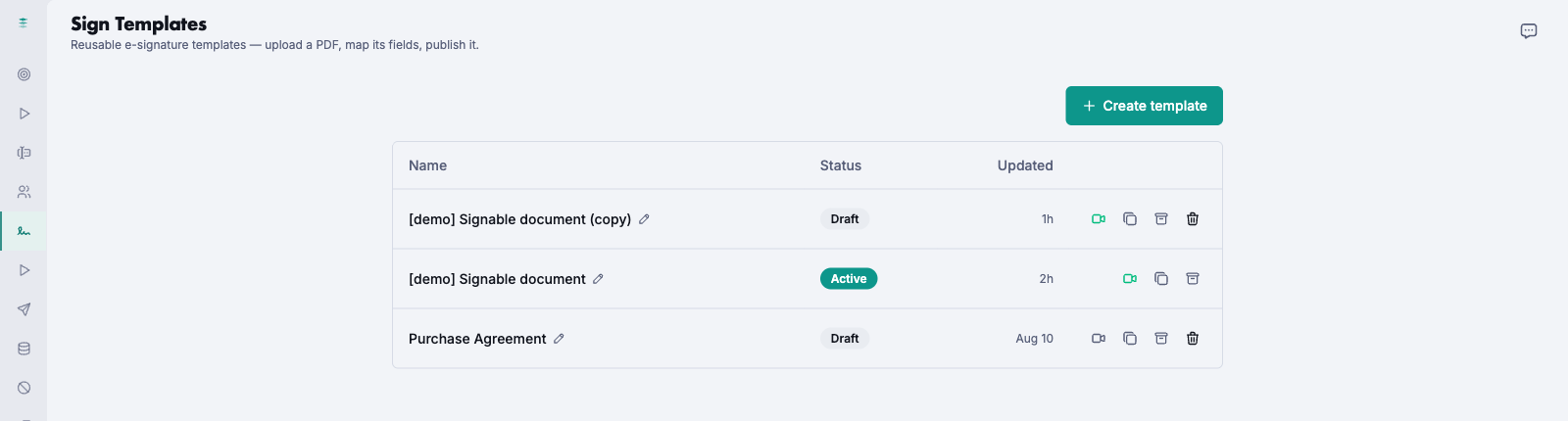
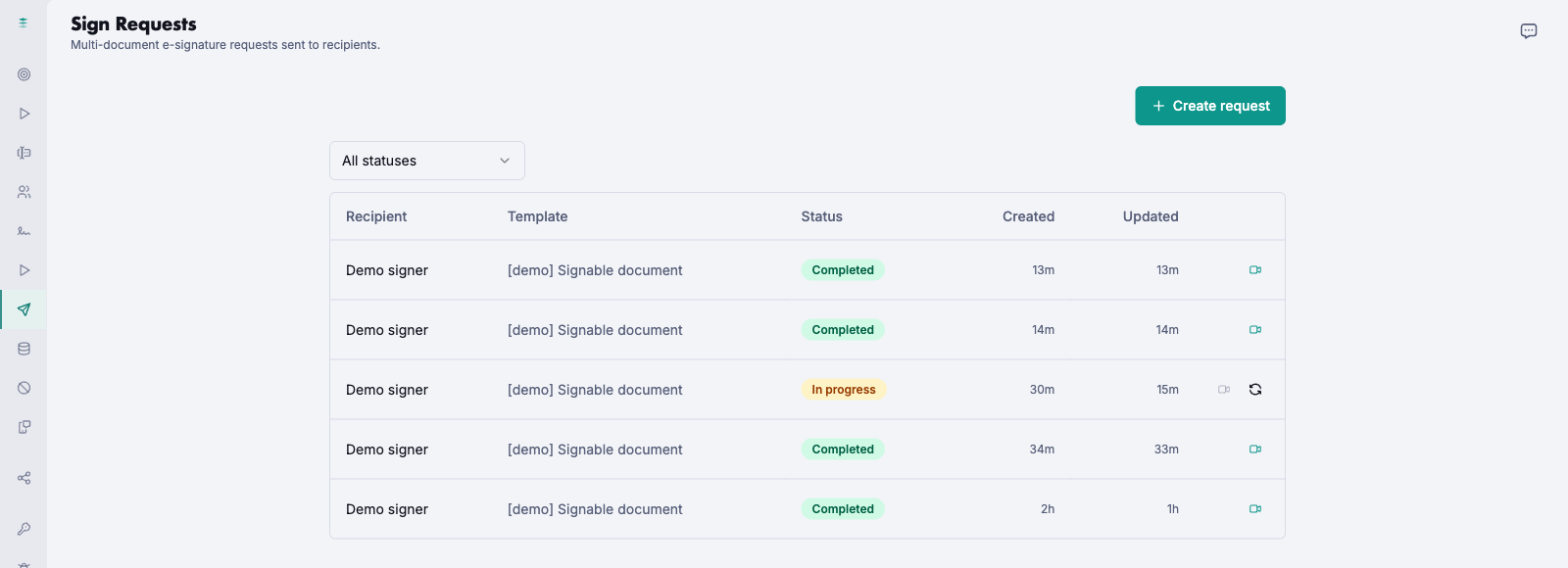
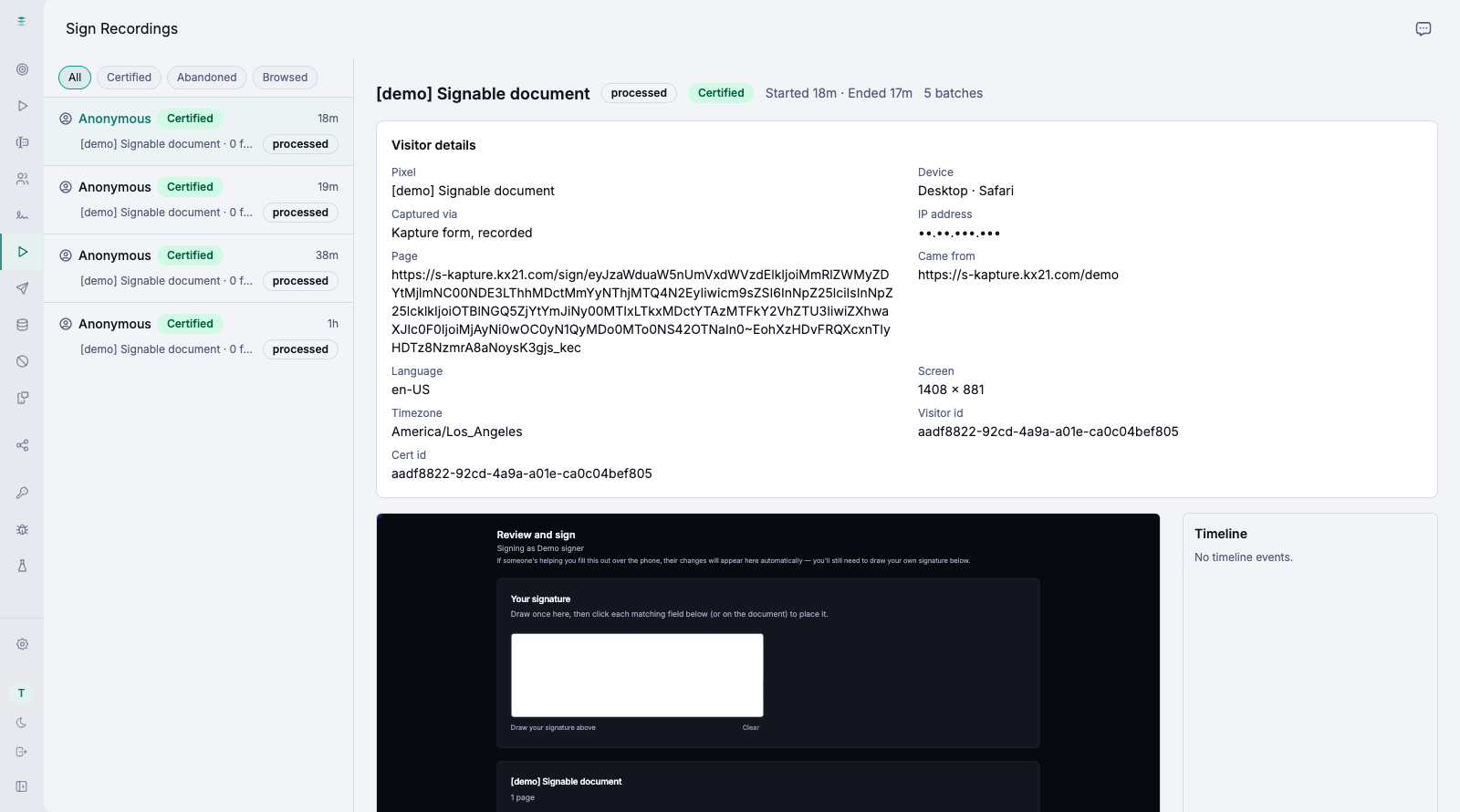
Every request moves through set stages: draft, sent, viewed, in progress, completed. The full history is kept. The signer's session is recorded like any other submission.
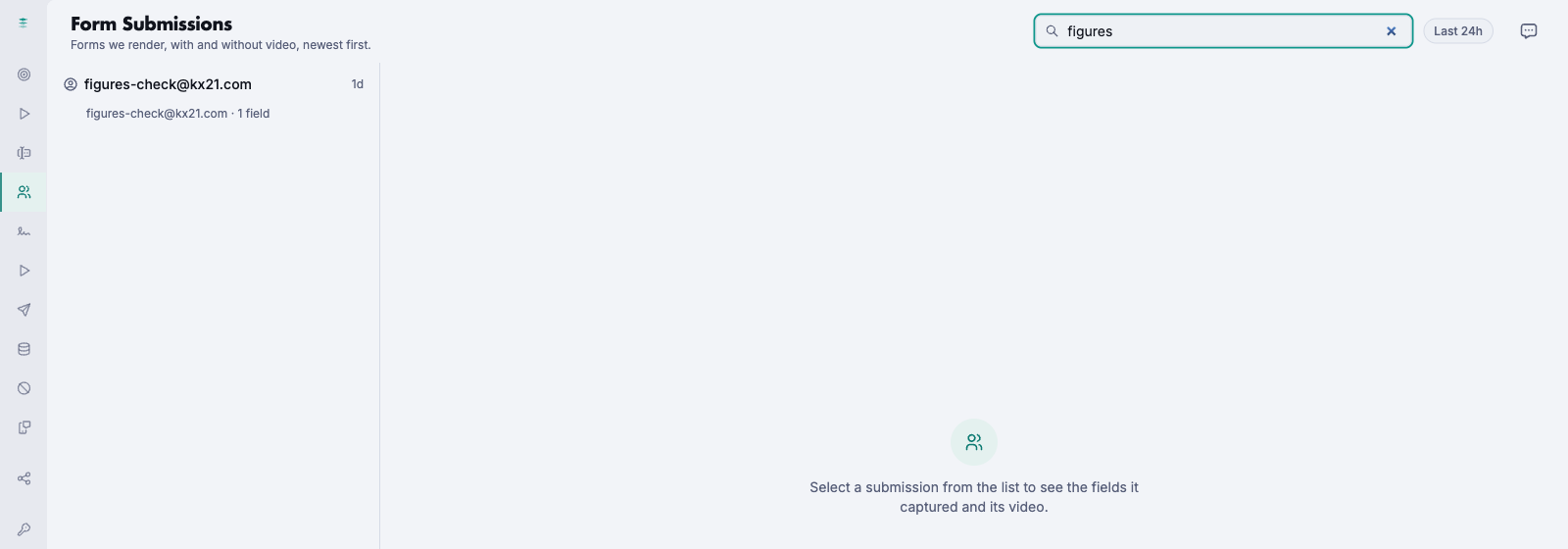
Find any Kapture.
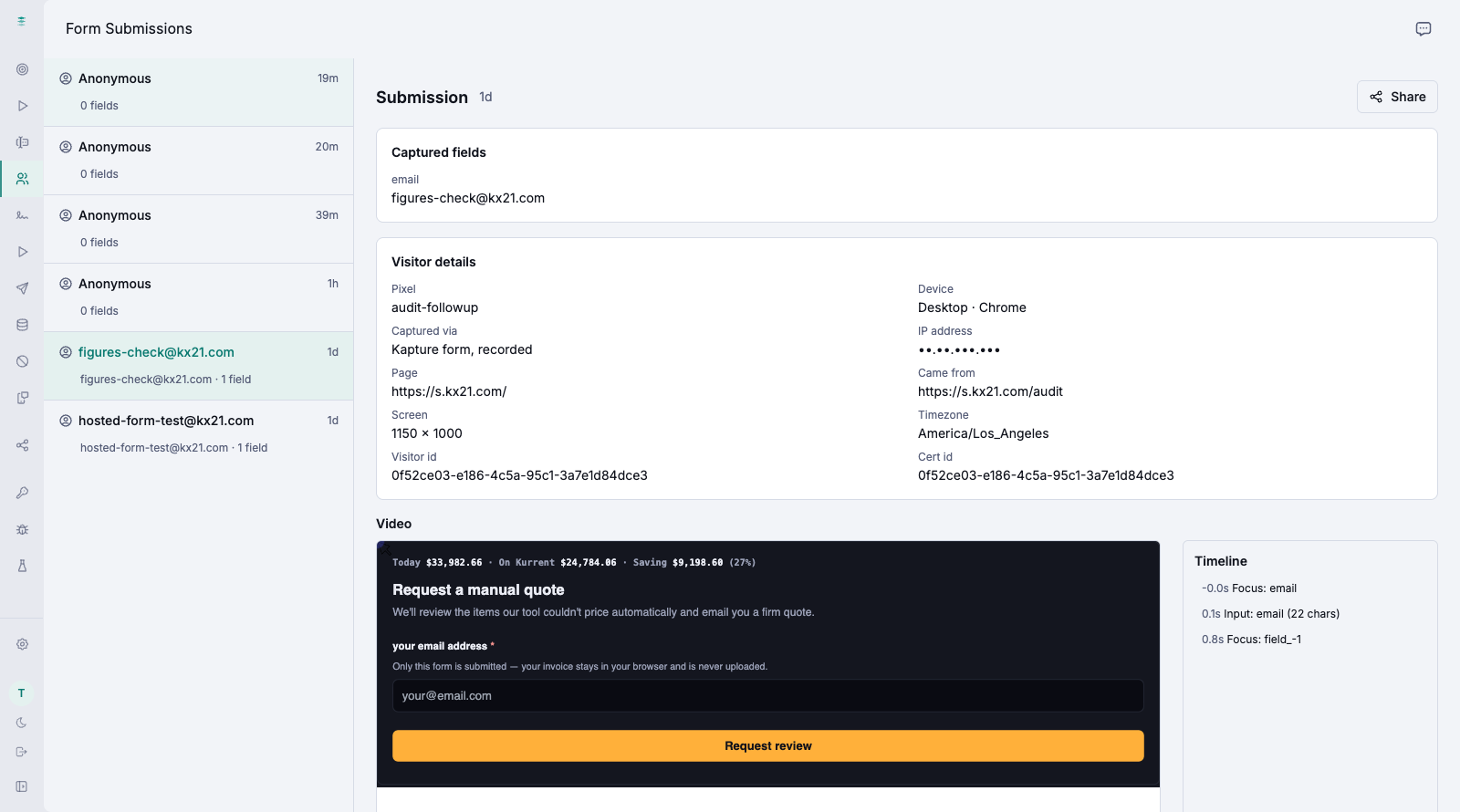
Type a name, an email, a phone number. The list filters as you type, across every Kapture the pixel ever made. Open a submission and you get the fields, the visitor, the timeline of every keystroke — and the video.
What it does
One-line pixel
Drop one script tag on any form. There is no back end to wire up. Use one pixel per brand, for staging or for live.
Full session replay
Rebuild any submission just as it happened. What they typed, field by field. The page and language they saw. What failed, and where they gave up.
Proof of submission
A timestamped record of what happened at submit, including the TCPA consent. You can tell if it was changed.
E-signatures included
Send, sign and store documents. Every signature carries the same proof. You do not need a separate e-sign vendor.
Agent-built forms
No form yet? An AI agent builds one and hosts it. It captures from the first submit.
Your own bucket
Records are written to your own storage, on space set aside for you. Search them, export them, or use webhooks and the API.
One honest caveat. Kapture captures TCPA consent. No tool can promise you will win in court. It gives you the record, not a legal guarantee, on a flat plan instead of a charge per certificate — see what that flat plan costs compared to TrustedForm and compared to Jornaya, now folded into the same ActiveProspect pricing. For the form itself, see Kapture priced against Typeform and against Jotform, the two builders whose plans cap what a form may collect. Proof of submission is one layer. Our Contact.IO talk walks through the rest of a compliant TCPA process.
Questions
- What is Kapture?
- Kapture does three jobs with one pixel: it builds a hosted form from a plain-English description or imports the HTML form you already have, sends documents for e-signature with no per-seat charge, and records what happened when someone submitted, every field, the page they saw and the consent they gave, as a replay plus a tamper-evident proof record kept in storage you own.
- How much does Kapture cost?
- Every token is $0.001, flat, with a $20 minimum purchase, and new accounts start with 2,000 free tokens that never expire. With your own storage bucket a completed form is 5 tokens, a lead recording you keep is 1 token, and a signed document is 250 tokens, or $15 a month for unlimited e-signatures. On KX21-hosted storage a submission is 15 tokens and a signed document 500. Building forms is free.
- What is the difference between a lead recording and a completed form?
- A lead recording is the session video and proof for a lead on a form you already run, at 1 token, $0.001. A completed form is a form Kapture built and hosts, with the submission and its recording, at 5 tokens, $0.005. Both are flat at every volume.
- When does Kapture start recording?
- Not on page load. The pixel opens a session but records nothing until the visitor touches the form you declared for it. If you want recording to wait for something else, such as a consent click, switch the pixel to manual capture and it records only after your page calls startCapture. That is also why an installed tag with no declared form produces empty replays.
- Where are the recordings stored?
- In your own bucket: Cloudflare R2, AWS S3, Backblaze B2, Wasabi, DigitalOcean Spaces, Telnyx storage or any S3-compatible endpoint. Kapture tests the bucket, writes the CORS rule and, on Telnyx, creates it for you. Records stay with you if you leave. KX21-hosted storage is the alternative: records are kept for 90 days and abandoned visits are not kept.
- How does a buyer verify a Kapture record?
- Every certified capture carries an id in a hidden form field, kap_vid, that travels with the lead. Anyone you share with can look that id up to see the replay and the proof, and a public REST API key lets a dialer or buyer system verify it automatically. You can also share one submission by email or issue a public replay link that expires, seven days by default.
- Can Kapture push each lead to my systems?
- Yes. A webhook on the pixel receives every captured lead as a signed POST with an HMAC secret you hold, with a test delivery and a delivery log per webhook. A blacklist check against your own API can tag a lead before it is forwarded, and an SMS verification step through your own provider can confirm the phone number on the form.
- Does Kapture mask sensitive fields?
- Yes. Point it at the page and it inspects the form in a headless browser, identifies the fields and their types, and writes the pixel's mask policy from what it finds, so card numbers and other sensitive inputs are masked in the replay. It also reports whether the tag is actually installed and a form is declared.
- Can I see where visitors abandon a form?
- Yes. Sessions are classed as certified, submitted with a real recording, or abandoned. For abandoned sessions the drop-off funnel shows how many reached each field in order, so you can see which question loses people. Keeping the abandoned recordings themselves is optional, 1 token each on your own bucket.
- Does Kapture support co-registration?
- Yes. A master pixel records your opt-in page and carries a list of partner pixels. Each partner sees only its own hop and the master's; the master sees the whole chain for one visitor, across several pages or on one page. Partners connect by invitation and can revoke the connection at any time.
- Does e-signature cost per seat?
- No. A signed document is $0.25 pay as you go, however many people sign it, or $15 a month for unlimited e-signatures with a verified bucket of your own. Templates are built from an uploaded PDF with mapped fields, support several signers, send automatic reminders, and can record the signing session as one more Kapture capture.
- Does Kapture replace TrustedForm?
- For proof of consent on your own forms, it records the same thing and keeps it in your bucket. If a buyer's contract names TrustedForm by name, a Kapture record is not that string and does not satisfy it; keep TrustedForm for those buyers. Tamper-evident consent records are not a category Kapture invented, and no tool can promise a TCPA outcome.